


Limited Time Offer

Days
Hours
Minutes
Seconds
:
:
:

Stop wasting hours on manual Tekla clicks

Cut repetitive drawing work from 5 hours to 5 minutes, reduce design errors by up to 90%, and build reusable scripts for faster changes, checks, and deliveries, without becoming a full-time developer.

Join 3600+ Engineers and learn from a step-by-step roadmap built for real Tekla work.

Stop wasting hours on manual Tekla clicks

Cut repetitive drawing work from 5 hours to 5 minutes, reduce design errors by up to 90%, and build reusable scripts for faster changes, checks, and deliveries, without becoming a full-time developer.

Join 3600+ Engineers and learn from a step-by-step roadmap built for real Tekla work.

Your current
typical workday:

Year after year, you wait for new Tekla Structures updates, hoping for improvements that never quite fit your projects' unique demands. Meanwhile…

One model change can create hours of extra work, because connections, drawings, dimensions, and numbering all need to be fixed again.

The same repetitive Tekla clicks keep stealing your time and keeping you in the office late just to meet deadlines.

Your projects are unique, your company standards are unique, but the tools inside Tekla are often too generic for the way you really work.

Tekla API has a basilisk effect on you. You look at it and you freeze… so you go back to manual workarounds and endless clicking.

Is this what a self-respecting designer should be occupied with? I think NOT.

It’s time for the wind of change…

Gain freedom to do everything you want in Tekla Structures... and nothing you don't.

Watch the trailer
to learn more!

Introducing

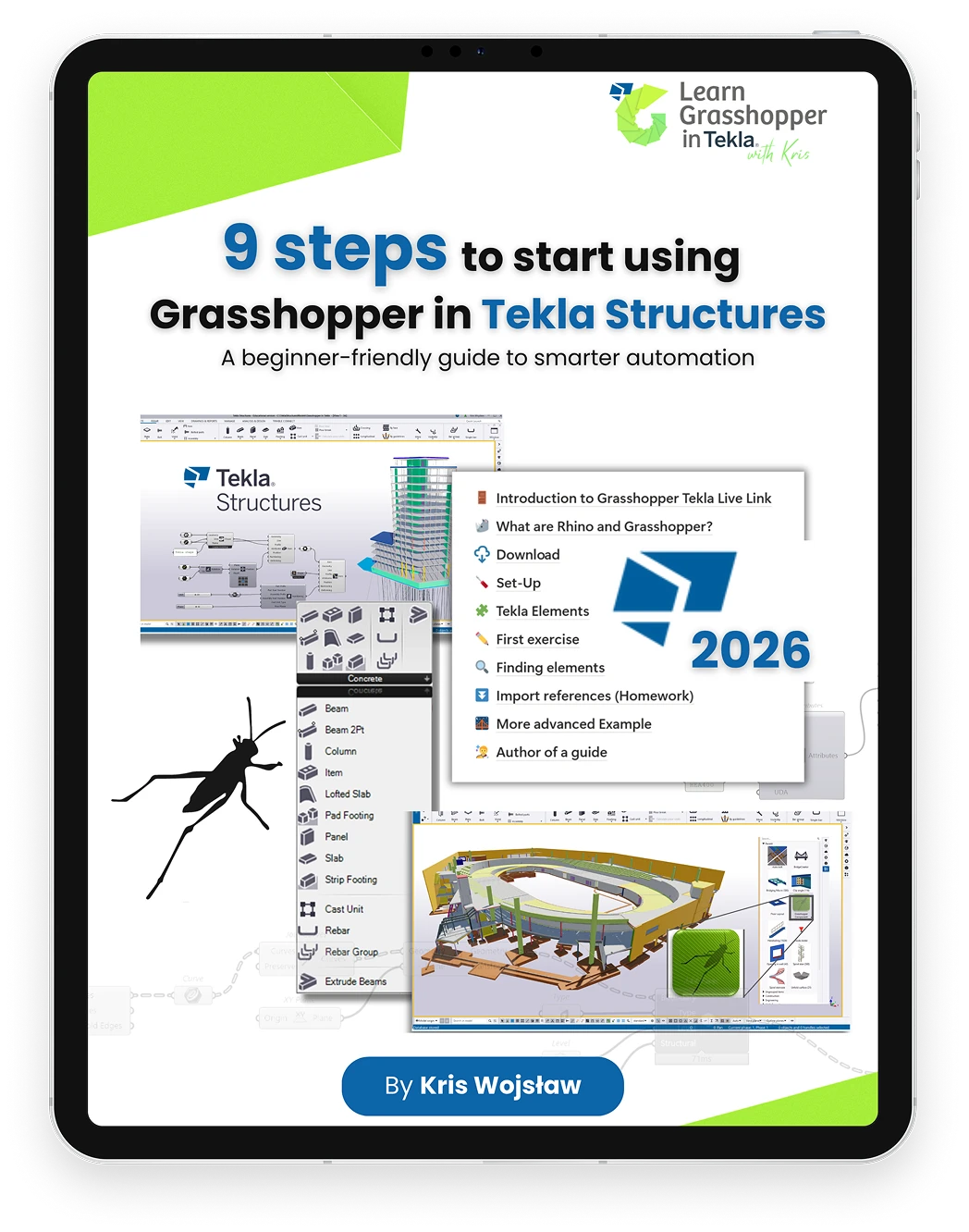
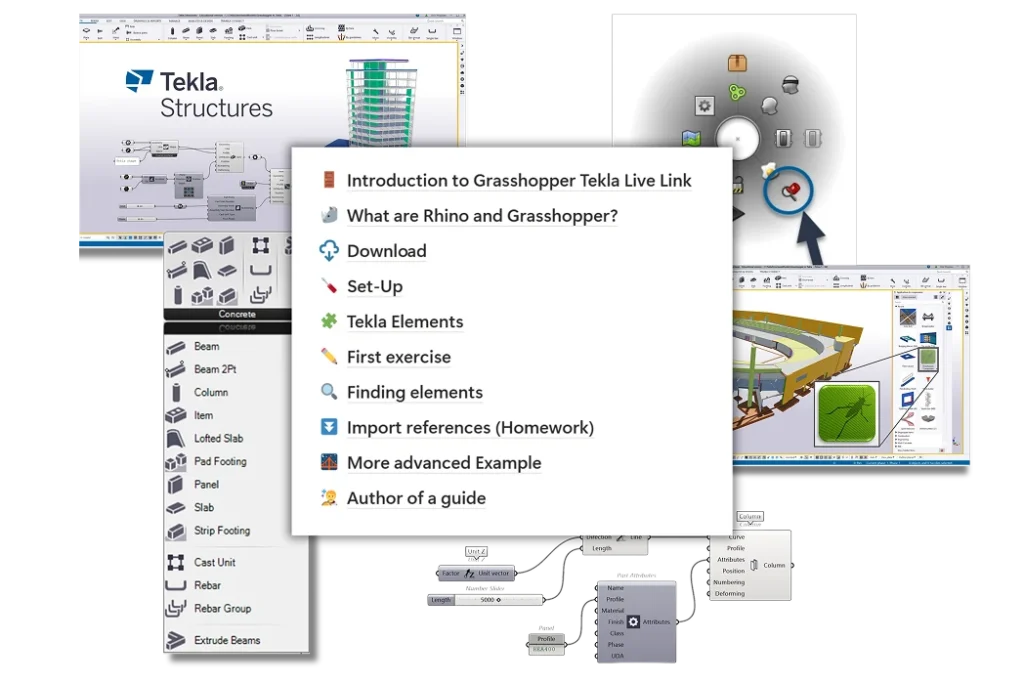
Grasshopper In Tekla Training

Highly practical online training

They’ve completed the training and don’t regret it!

Sebastian Lindholm
Advanced BIM Consultant at Trimble

“Amazing effort by Kris for putting together this compelling and comprehensive training package! I'm pleased to see that as always, the content is delivered in his trademark approachable style. Moving from traditional CAD and 3D modelling into the world of parametric design can be challenging, thus this training serves as a much needed missing piece for taking Grasshopper into use in your Tekla projects.”

Sten Tuudak
Concrete Technical Manager at Trimble Tekla | Teacher at Tsacademy.courses

"Kris knows this topic. He knows how Rhino works, how Grasshopper Link works with Tekla and how Tekla works. If you look at Kris' background, then you can see he has a lot of practical knowledge also and he's sharing this practical knowledge with you. These two are a magical combo!”

Øystein Ulvestad
BIM developer at ARUP

“It's an easy way to get from the zero level of knowledge that I was on, to a level where I could work independently in quite a short time and in a very structured way that I found intuitive and fun to learn. So I would highly recommend this course to anyone who's curious about parametric design and wants to get up to quite a high level”

What will you learn?

Prepare for changes in advance

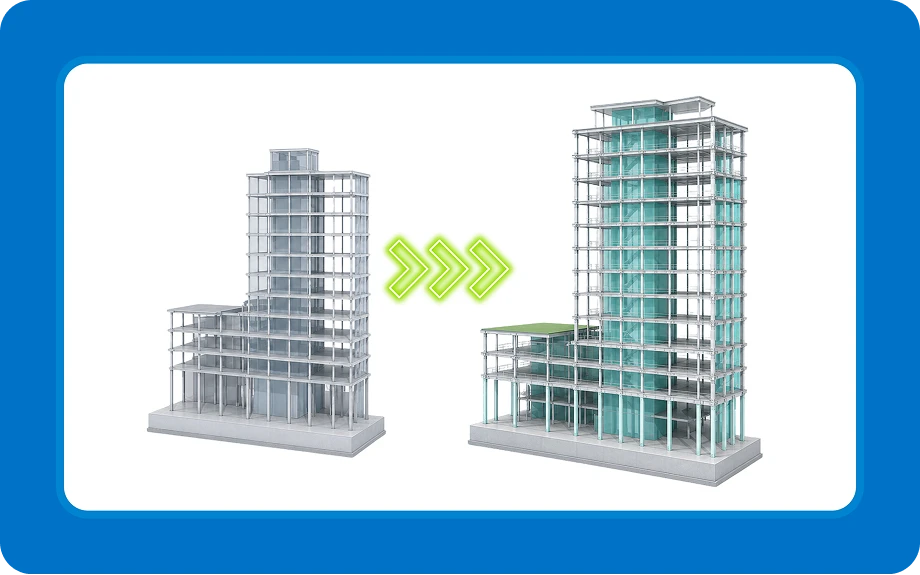
Model changes are where Tekla users lose the most time. Instead of fixing beams, connections, rebar, views, and dimensions by hand, you run your script and update everything in minutes, not hours.

Automate drawings and revisions

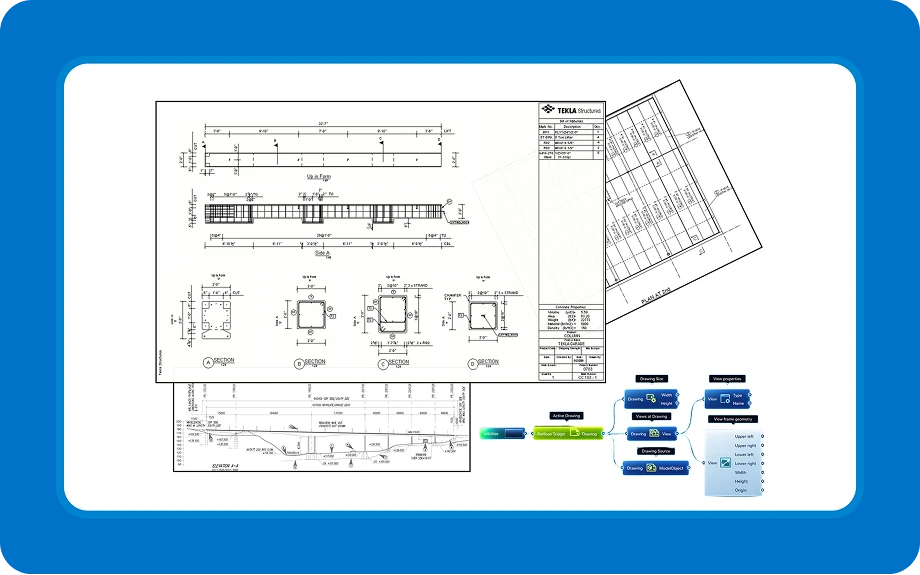
Rather than manually placing sections, dimensions, and marks, Grasshopper can generate and update drawings, letting you focus on engineering instead of clicks. Students who used it went from 5 hours of drawing work down to 5 minutes.

Build automated quality checks

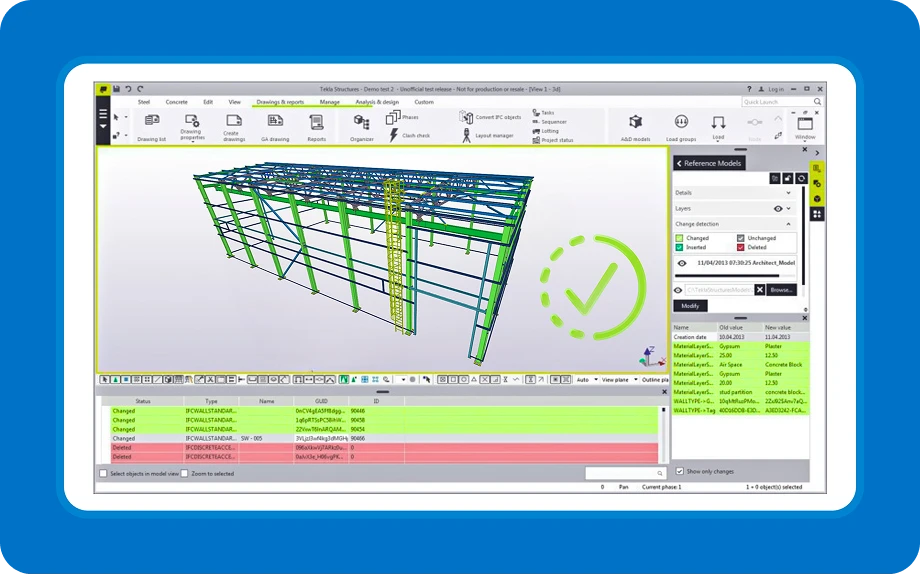
Build automated quality checks that review your model 24/7 and help you cut model errors by up to 90% before they reach delivery.

Automate repetitive modelling

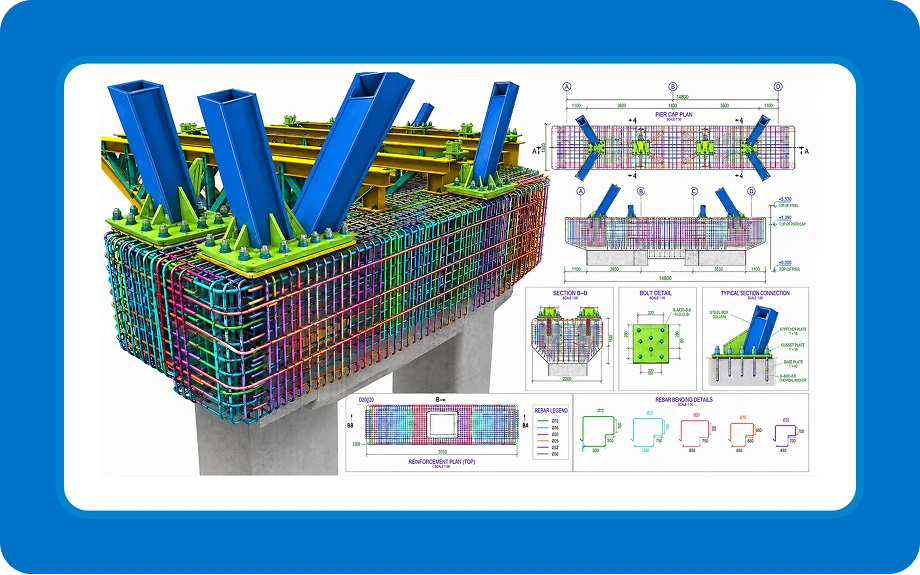
Automate rebars, tendons, welds, bolts, and complex geometry with reusable scripts that save time now, can be used on future projects, and can save 3 to 4 weeks during project execution.

Control model data, UDAs, and exports

Control model data, User Defined Attributes, and exports in one workflow, so you can keep your models clean, your deliveries consistent, and click Export once, not a 100 times.

If you're looking for a complete guide on how to change your work in Tekla Structures and transform this software in the way you’ve always wanted, this is the training for you.

Who is
this training for?

If any of the following statements describes
you, join us!

Join architects and engineers
from more than 200 companies

Meet Your Instructors

Krzysztof Wojsław

Experienced first-hand how Grasshopper Live Link changed his Tekla workflow, elevated his career and satisfaction from what he does, and it’s his honest wish to help others achieve the same.

Grzegorz Olszewski

People said you can’t automate drawings in Tekla – he proved them wrong. Now, thousands of users rely on his work every day.

Stay connected
and grow
with our community

Our program is made for you to learn at your own pace, whenever and wherever you want. But we are not leaving you to struggle with challenges on your own! In our private Discord community you will:

Get a taste

of what Grasshopper In Tekla Training is all about!

Take a look at our demo lessons to get a sneak peek at the type of content you can expect in the course. This is what makes this program unique:

Real Case Studies

Practical assignments are based on real case studies, and all Tekla users will find something for themselves - no matter if you work with concrete prefabricated projects, steel connections, industry projects or bridges, scripts can be easily applied to your work right away!

Ready to accelerate
your Tekla workflow?

Explore our learning paths

Revit

Advanced Grasshopper
in Tekla Training

+ Drawing production acceleration

Who is it for?

Already a semi-advanced Grasshopper user, confident in data trees? This option is for you. Get full access to the Grasshopper in Tekla training. We jump straight into Tekla-focused workflows while still guiding you step-by-step.

What is included?

1-year access to:

100% Satisfaction Guarantee – 30-day refund, no questions asked

Ultimate Bundle

Grasshopper

Fundamentals Training (GFT)

Grasshopper

in Tekla Training (GTT)

+ Drawing production acceleration

Who is it for?

This is perfect if you’re new to Grasshopper or still missing confidence in more advanced Grasshopper operations. Start with the fundamentals to build your confidence in Grasshopper, then dive into the advanced Tekla-specific training.

What is included?

One-year access to everything that's inside GTT plus lifetime access to:

100% Satisfaction Guarantee – 30-day refund, no questions asked

Bonuses

Automate the drawing work that steals the most time in Tekla Structures.

Learn how to create reusable workflows for views, sections, dimensions, marks, UDAs, revisions, and exports across single-part, assembly, cast unit, and GA drawings. With over 17 hours of practical training and real case studies from steel, concrete and bridge projects, this bonus helps you turn repetitive drawing work from hours into minutes.

First-hand knowledge presented by Grzegorz Olszewski, the creator of the Grasshopper Tekla Drawing plugin.

In an additional module, we show how ChatGPT can help you create your own plugins and components. Access the Tekla API with the help of your AI assistant.

Thanks to the new weld and bolts components in the Tekla Live Link and improvements in input definitions, steel design is now much easier.

GTT will continue to improve and expand with additional content after every Grasshopper Tekla Live link update. You don't need to do anything or pay extra - these will be added to your training in your access period.

If you feel that

your Tekla Structures could be better…

You are 100% correct.

And you are in a great place to learn visual programming and take your structural projects to a whole new level!

See what Grasshopper in Tekla students are building

Many of these Tekla Users started from zero.
Soon, you could be building work like this too.

Agenda

See what you will learn

Grasshopper Fundamentals

00.00. Hello 07:16
00.01. About the course 10:46
00.02. About Author 04:43
00.03. How to work with materials 16:00
00.04. Discord Group 08:45
00.05. First Exercise 02:33

01.00 Intro 01:29
01.01 Why should engineers learn programming? 17:29
01.02. Computational thinking 15:50
01.03. Computer Programming 16:57
01.04. Parametric Design 12:45
01.05. Why Parametric Design? 15:15
01.06. What is Rhino and Grasshopper? 16:01
01.07 Grasshopper in Action 36:47
01.08 Summary 02:25

02.00. Installation process 20:03
02.01. Rhino Interface 1/2 30:25
02.02. Rhino Interface 2/2 18:15
02.03. Modelling in Rhino 1/2 32:06
02.04. Modelling in Rhino 2/2 28:43

03.00. Intro 02:13
03.01. Grasshopper interface 1/3 20:52
03.02. Grasshopper interface 2/3 14:24
03.03. Grasshopper interface 3/3 09:15
03.04. Rhino with Grasshopper 1/2 23:26
03.05. Rhino with Grasshopper 2/2 19:53
03.06. Intro Grasshopper - Homework 03:02

04.00. Intro 04:15
04.01. Grasshopper Parameters 1-2 23:21
04.02. Grasshopper Parameters 2-2 16:23
04.03. Wiring 11:01
04.04 Grasshopper Components 13:22

05.00 Data 05:56
05.01. List Creation 21:06
05.02. List Management 19:26
05.03. Working with lists 10:27
05.04. Logic 18:02
05.05. Mathematics 23:28

06.00 Intro 01:46
06.01. Points 27:18
06.02. Vector 32:00
06.03. Planes 28:24

07.00. Intro 01:38
07.01. Basic transformations 33:02
07.02. Advanced transformations 36:39
07.03. Homework 05:40

08.00. Data tree 01:44
08.01. Data tree structure 26:09
08.02. Data tree generation 25:55
08.03. Data tree matching 18:37
08.04. Data tree operations 35:44
08.05. Homework 01:47

09.00. Intro 19:13
09.01. Lines and polylines 20:48
09.02. Modify polylines 43:04
09.03. Curves division 19:12
09.04. Curve operations 34:49
09.05. Homework 06:06

10.00. Intro 11:37
10.01. Primitives 10:14
10.02. Free form 27:37
10.03. Analysis 21:34
10.04. Util 18:56
10.05. Homework 06:08

11.00. Intro 01:02
11.01. Text management 30:23
11.02. Display 36:28
11.03. Intersect 16:19
11.04. Diverse 20:18

12.01. Good habits while working with Grasshopper 39:59
12.02 How to create clean Grasshopper scripts 01:11:08
12.03. IFC Export from Rhino – VisualARQ 56:40
12.04. Revit to FEM software workflow 26:58
12.05. Extra exercises
12.06. Terrain in Grasshopper – Lands Design 59:05

13.00. Congratulations 02:43

Grasshopper in Tekla

00.00. Welcome 06:10
00.01. About the course and program 08:51
00.02. About the Author 05:52
00.03. How to work with materials 07:04
00.04. Discord Group 05:35
00.05. First Exercise 02:19

01.00. Intro 02:09
01.01. What are Rhino and Grasshopper? 05:45
01.02. Grasshopper in Action 22:05
01.03. Download 14:22
01.04. Set-Up 09:47
01.05. Limitations 09:24
01.06. Summary 08:32

02.00. Intro 01:46
02.01. Tekla Elements 21:41
02.01.01. Beams and columns 28:14
02.01.02. Panel and Footing 08:34
02.01.03. Plates and slabs 25:14
02.01.04. Lofted Plate/Slab 07:24
02.01.05. Polybeams 14:50
02.01.51. Case Studies Slab Layers 04:52
02.01.52. Case Studies Walls Division 01:35
02.01.53. Case Studies Polybeam handrail 01:46
02.01.54. Case Studies Spiro Pipe 03:06
02.02. Data trees in elements 02:28
02.02.01. Simple data trees 25:22
02.02.02. Advanced data trees 1 15:32
02.02.03. Advanced data trees 2 09:24
02.02.04. Advanced data trees 3 30:07
02.02.51. Case Studies Pad Footing 01:13
02.02.52. Cases Studies Piles 02:13
02.03. Import references 01:00
02.03.01. Model Units 06:10
02.03.02. Automatic references 14:01
02.03.03. Base point 07:41
02.04. Summary 09:27

03.00. Intro 01:03
03.01. Params 17:41
03.02. Points 14:11
03.03. Construction objects 27:48
03.04. Surface treatment 19:29
03.05. Grid 17:36
03.06. Fitting 20:52
03.07. Part Cut/Plane cut 17:35
03.08. Display 12:03
03.51. Case studies Formwork 01:33
03.52. Case studies Slabs 03:05
03.53. Case studies Pipes and Piles 04:01
03.54. Case studies Bridge Formwork 01:54

04.00. Intro 01:15
04.01. Item 07:09
04.01.01. Item component 14:01
04.01.02. Create Shape 10:46
04.01.03. Meshing 23:59
04.01.04. Item vs Tekla Object 05:55
04.01.51. Case Studies Deck item 02:03
04.02. Component 00:48
04.02.01. Component component 17:49
04.02.02. Component attributes 24:12
04.02.03. Component input 10:14
04.02.04. Data tree in Component 24:59
04.02.51. Case studies Piles Reinforcement 02:07
04.03. Assembly, Cast Unit 06:12
04.04. Welds 09:58
04.04.01. Weld Components 16:26
04.04.02. Truss Joint 09:28

05.00. Intro 01:45
05.01. Single bar 23:32
05.02. Rebar Group 03:06
05.02.01. Normal 15:48
05.02.02. Tapered 15:22
05.02.03. Tapered N 13:38
05.02.04. Ridge/Curved distribution 16:44
05.02.05. Curved bar 22:53
05.02.06. Spiral 07:14
05.02.07. Rebars creation 11:49
05.03. Extra 00:48
05.03.01. Excel 16:17
05.03.02. Colors 09:41
05.03.03. Sketches 10:50
05.04. Rebar sets 04:37
05.04.01. Rebar Group vs Rebar Sets 08:31
05.04.02. Attributes 22:24
05.04.03. End Details 11:39
05.04.04. Splitter and Modifier 17:12
05.04.05. Extra 02:48
05.51. Case studies Normal Reinforcement 01:22
05.52. Case studies Tapered Reinforcement 01:11
05.53. Case studies Reinforcement Data Tree 00:54
05.54. Case studies Reinforcement Data Tree 2 02:28
05.55. Case studies Portal Reinforcement 01:26
05.56. Case studies Portal Starter Reinforcement 02:04
05.57. Case studies Oval Reinforcement 01:47

06.00. Intro 00:59
06.01. Deconstruct 16:35
06.02. Expand 14:08
06.03. Get 26:56
06.04. UDA
06.04.01. UDA 1 30:12
06.04.02. UDA 2 17:25
06.05. Convert 20:26
06.51. Case studies Find Edge Columns 02:20
06.52. Case studies Incorrect Column Position 02:41

07.00. Intro 01:36
07.01. Profile 25:53
07.02. Modify 34:01
07.03. Set 15:53
07.51. Case Studies Sort Columns 02:24
07.52. Case Studies Sort Beams 02:47

08.00. Intro
08.01. Grasshopper Component 09:54
08.01.01. Instalation 06:15
08.01.02. Component Inputs 12:20
08.01.03. Template 18:17
08.01.50. Case Studies 02:29
08.02. Human UI 03:27
08.02.01. Human UI Components 14:06
08.02.02. Simple Frame 14:18
08.02.03. 3D View 12:03
08.02.51. Beam grouping 04:08
08.02.52. Compare quantities 07:11

09.00. Intro
09.00.01. Welcome 01:58
09.00.02. About the Author 04:44
09.00.03. About the Drawing Link 04:38
09.00.04. Download and set-up 02:26
09.01. Foreword
09.01.01. Difference between Model and Drawing Links 07:44
09.01.02. Drawing complexity 04:19
09.01.03. Limitations 05:02
09.01.04. Multi-view convention 08:23
09.02. Drawings
09.02.01. Existing drawings 13:33
09.02.02. Drawing properties 11:26
09.02.03. New drawings 11:08
09.03. Params
09.03.01. Drawing params 09:38
09.03.02. Value lists 08:40
09.04. Views
09.04.01. View properties 18:49
09.04.02. View creation 23:32
09.04.03. View modification 18:31
09.05. Parts
09.05.01. Model-Drawing mapping 08:16
09.05.02. Related objects 10:27
09.05.03. Selection 04:20
09.05.04. Deletion 05:53
09.05.05. Visibility 07:13
09.06. Geometry
09.06.01. Projections, orientations 26:38
09.06.02. Model object geometries 10:30
09.06.03. Geometry helpers 13:53
09.06.04. Deconstruct model objects 37:34
09.07. Misc
09.07.01. Tree operations 15:15
09.07.02. Loop 25:35
09.07.03. 3D model views 11:55
09.07.04. Missing model operations 19:06
09.07.05. Bake to Tekla 02:54
09.08. UDAs
09.08.01. Getting UDAs 04:56
09.08.02. Setting UDAs 02:52
09.09. Plugins
09.09.01. Plugin inputs 04:04
09.09.02. Plugin insertion 20:47
09.10. Dimensioning
09.10.01. Deconstructing dimensions 05:08
09.10.02. Dimension insertion 26:23
09.10.03. Dimension ordering 14:27
09.10.04. Curve dimensions 14:19
09.11. Annotations
09.11.01. Marks 41:40
09.11.02. Symbol, text 16:58
09.11.03. 2D library, dwg reference 08:36
09.11.04. Drawing primitives 19:32
09.11.05. Deconstruct mark, text 16:36
09.12. Modify
09.12.01. Modify parts 12:52
09.12.02. Modify bolts, welds 07:30
09.12.03. Modify rebars 14:26
09.12.04. Modify texts, marks 39:35
09.12.05. Modify view 16:59
09.13. Export
09.13.01. Export drawings 10:52
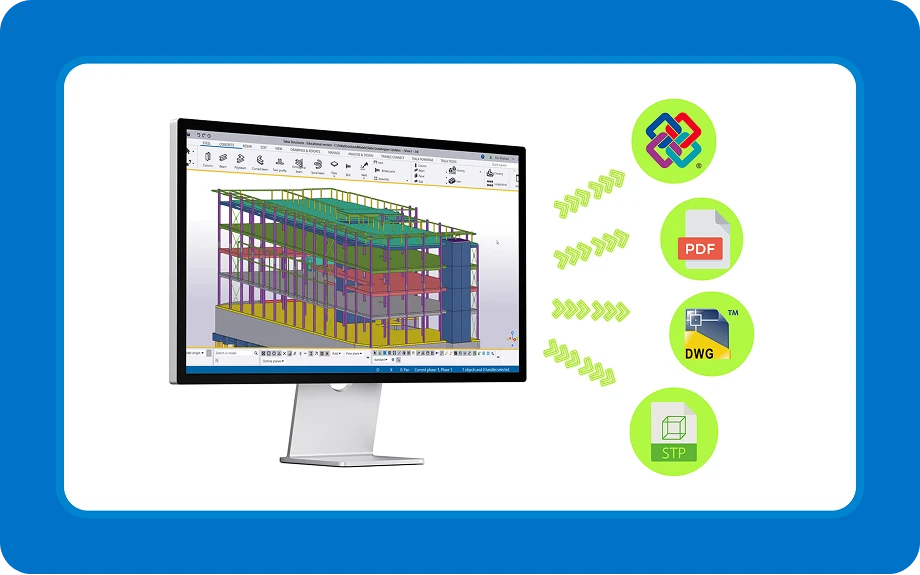
09.13.02. Export to IFC 13:03
09.13.03. Export report 06:49
09.13.04. Export to 3d DWG 05:34
09.51. Case studies Single part drawing
09.51.01. Plate drawing 33:11
09.52. Case studies Assembly drawing
09.52.01. Steel column drawing 37:55
09.53. Case studies CU drawing
09.53.01. Accessory dimensions 46:41
09.53.02. View positioning 21:07
09.54. Case studies GA drawing
09.54.01. Bridge views creation 49:57
09.54.02. Bridge cross-section dimensioning 50:00
09.54.03. Calculating the View Restriction Box 12:18
09.54.04. Hollowcore dimensions 26:24
09.54.05. Marking top in form 36:51

10.01. Tips & Tricks
10.01.01. Select Objects 06:11
10.01.02. Creating Phases 09:10
10.01.03. Execute Context Menu 05:57
10.01.04. Get model Info 01:52
10.01.05. Curved Beam Segments 04:19
10.01.06. Data Dam 07:57
10.01.07. Add surface to face 03:21
10.01.08. Get Grid Intersection Points 04:40
10.01.09. Selection Filter 14:48
10.02. Extending Link with Tekla API
10.02.01. Tekla references 25:56
10.02.02. Phase creator 35:28
10.02.03. Workplane management 41:17
10.02.04. Model selection filter 21:32
10.02.05. Clash check 25:36
10.02.06. Finding objects near a point 18:09
10.02.07. Dimension tags 16:28

Ready?

Pick your learning path
and upscale your workflows in Tekla Structures today.

Check out our offer: it's packed with amazing
content and bonuses!

Revit

Advanced Grasshopper
in Tekla Training

+ Drawing production acceleration module

519 EUR

Who is it for?

Already a semi-advanced Grasshopper user, confident in data trees? This option is for you. Get full access to the Grasshopper in Tekla training. We jump straight into Tekla-focused workflows while still guiding you step-by-step.

What is included?

1-year access to:

100% Satisfaction Guarantee – 30-day refund, no questions asked

It’s just ~12 EUR per hour of hands-on learning with Tekla and Grasshopper experts.

Ultimate Bundle

Grasshopper

Fundamentals Training (GFT)

Grasshopper

in Tekla Training (GTT)

+ Drawing production acceleration module

759 EUR

Who is it for?

This is perfect if you’re new to Grasshopper or still missing confidence in more advanced Grasshopper operations. Start with the fundamentals to build your confidence in Grasshopper, then dive into the advanced Tekla-specific training.

What is included?

Everything that's inside GTT (Training Program and Bonuses) plus:

100% Satisfaction Guarantee – 30-day refund, no questions asked

It’s just ~11 EUR per hour of hands-on learning with Tekla and Grasshopper experts.

They invested and do not regret it!

Mario Villada
Structural Engineer

“It's the best. This course was really spot on! (...) The scripts that I have done really saved me and my colleagues a lot of time."

Andras Latorovszky
Specialized Engineer in BIM at ARC-S Group

"Kris, your course is excellent! The way you explain things makes it all so clear! It is really high quality! The quality of the instructor, content, and organization is exceptionally high. The acquired knowledge is directly applicable in practice. This course is an investment that pays off multiple times over, both for professional development and for improving efficiency and innovation in work. It has truly enriched my understanding and sparked countless ideas on how to improve my efficiency. I have truly become a mega super user with the knowledge I have acquired. I am raising my structural design processes to a new level. With your inspiration and my attitude, I reached my goal. This is an excellent initiative to generate a community of engineers internationally interested in being part of this revolution. Thanks to initiatives like this, you open the doors to professionals from countries where technological advancements arrive a bit later, allowing people like me to have a niche to share and apply ideas."

Jānis Goldmanis
R&D Project Manager at UPB

"A valuable aspect is the inclusion of various case studies, which demonstrate how all the components can be effectively used to enhance existing workflows. Not to mention, participants will gain access to a supportive community."

Erlend Kaldestad
Consulting and structural engineer at Sweco

“This course has been a real eye-opener for me regarding what Grasshopper can do for Tekla. Kris has structured the course well, covering all the aspects you need to know. The lessons are portioned into suitable lengths, and there is a great variety of topics. It's been challenging at times, but the reward of completing each lesson is developing a skill set that will take you far in parametric design within Tekla.”

Sten Tuudak
Concrete Technical Manager at Trimble Tekla | Teacher at Tsacademy.courses

“Kris has a lot of practical knowledge and he's sharing this practical knowledge with you."

Wiktor Rybus
BIM developer at Sweco

"Grasshopper Tekla training is really useful for everyone, whether you're just starting out or you've been using it for a while. It gives you handy tips and templates for better work with the live link. The training also uses amazing real-life examples from different fields, making it helpful for all Tekla users."

Wolder Reta Araya
Construction Engineer at AFRY

“Before, I was doing a lot of repetition work manually, but now I can automate those parts much quickly and making changes much easier too.."

You risk nothing!

30-day refund guarantee.

We want you to be 100% satisfied. If you don’t feel you’re getting the value you expected, just let us know within 30 days from purchase – we’ll refund your full tuition, no questions asked. The refund is prompt and unconditional.

Our goal is to ensure you have a great learning experience, period.

Days
Hours
Minutes
Seconds

The offer is valid only until the

28th of May 2026

Note: This is THE BEST PRICE you will EVER see for these programs, and it will increase with each new edition.

Your turn.

Do you want to take your Tekla Structures Projects to the next level?

Join 3,600+ Computational Engineers in the Learngrasshopper.com community

Frequently Asked Questions

Your account will be created on the educational platform immediately after payment. Details on how to access the training will be provided by email. If you bought more than one training access, I will contact you directly.

You will get access to all training materials immediately after purchase.

This means you can learn at your own pace, move faster when you have more time, and return to specific lessons whenever you need them. You don’t have to wait for new modules to be released. You can start with the topics that matter most to your current projects and use the full program as a practical reference while you work.

The Grasshopper in Tekla Training is designed as a 10-module advanced online training covering all the tools and features for automating creating 3D models and Tekla drawings using the Grasshopper Tekla Link.

The course includes a mix of videos (You can find demo lessons here: Demo 1, Demo 2), practical examples, and presentations to make learning engaging. You’ll also get to apply what you learn through homework assignments that involve real-world case studies. This approach makes sure you gain practical and useful skills.

As a bonus, you will receive an additional training on the Grasshopper Tekla Drawing Link, which automates the process of drawing creation and saves time spent on manual work in Tekla Structures. Greg Olszewski, the developer of the Grasshopper Tekla Drawing Link, will personally demonstrate the most effective ways to use this link and show best practices.

You will have access to the GTT training until 28.05.2027. This duration is set to account for any changes in the Tekla program and Live Link, allowing the training content to be updated and aligned with the latest developments and features of the software. If you purchase the bundle deal (GFT and GTT), you get lifetime access to Grasshopper Fundamentals Training and access until 28.05.2027 to Grasshopper in Tekla Training. 

The Grasshopper in Tekla training is an advanced course designed for Tekla users who already know the basics of Grasshopper. The training focuses on Tekla Live Link components and their practical applications.

If you are still missing basic Grasshopper knowledge and struggling with data tree structures or other advanced GH operations, I have a special offer for you! You can join over 1000 students in the Grasshopper Fundamentals Training and catch up on the basics before starting with Tekla Live Link. This training will provide you with the best preparation, making it easier for you to use Live Link in your work – Get the Bundle offer.

If you’re making a one-time payment (paying the whole sum at once), you can pay for the training using a credit/debit card or through direct bank transfer. If you’re paying in installments, the only possibility is payment by card. Please choose the option that is most suitable for you. 

If your company is paying on your behalf, please choose the “Pay by invoice” method in the checkout and fill out all the required details so that I can issue the invoice for your company. After registration, you will receive all the necessary information to make a direct payment into our bank account. 

Absolutely. My primary goal is for you to learn Grasshopper in Tekla and implement it in your day-to-day work. If you decide that you are not getting the value you expected from this course or would like a refund for any reason during the first 30 days after purchase, I will fully refund you.

You will receive the amount you paid back into your account, no questions asked. Ok, maybe one question asked: what would make my course better? But you don’t have to answer it. The refund is still unconditional.

Yes! We’re using a Discord group for our online community. Access to the group will be available for one year, limited to students only, and moderated to keep the discussions focused and helpful. There will be no trolls and no trolling. We’ve already got 200+ engineers and architects with us – and we’re just getting started. I am confident that great discussions will take place there every day!

I will be an active member of the group and will help students and answer questions along with the community. I will also organize Live Q&A sessions, extra webinars and interviews with Tekla Super Users during the training course through this group.

Grasshopper in Tekla Training is an obvious advantage for you as an engineer but also for your company. You can always try to get reimbursement for the training!

If you work as an engineer, consultant, or architect and you aren’t sure how to get your employer to fund this training, I created a One Pager for your manager that will help persuade them to purchase the training for you.

Absolutely!

Even if you’re an advanced user, I would recommend that you go through all the materials. I promise that you will learn new things.

Many advanced Grasshopper users working with Tekla went through this training and still learned A LOT. In GTT, I go through all the tips and tricks necessary to become an expert. (I spent last four years summarizing all of them). I am 100% sure that even if you have used Grasshopper in Tekla, you will find something new in this training.

Moreover, I also go over how to build well-structured and straightforward scripts. Therefore, you can collaborate with other Tekla users.

Grasshopper in Tekla Training is a well-structured course. If you still don’t know how to create custom tools and automate tasks in Tekla, then please join me in GTT.

Remember that if it turns out that this training is not advanced enough for you, you can always request a refund within the first 30 days and get 100% of your money back.

This information is especially relevant for companies. YES, you can buy multiple licenses by placing one group order. You can do this by just increasing the number of items in your cart. I will contact you after the payment has been confirmed.

Don’t forget! For every 7 purchases, you will automatically get one for free. If you buy 14, you will get two and so on. After receving the order, I will send you all information on how users can access the learning platform.

The course consists of 10 modules plus additional bonus content. Total video length is over 42 hours, with the longest video lasting just over 30 minutes.

However, remember that you don’t need to start the course right away – you have a year-long access to all the materials available on the platform, as well as to the group on Discord. This allows you to work through the training at your own pace.

Grasshopper comes together with the installation of Rhino. Rhino 8 Evaluation can be downloaded from the official Rhino website for free. After registration, you will receive a ready-to-use 90-day full license. GTT is a 10-week program, and this license is enough to get you through all the course modules with an extra time after you have finished the training.

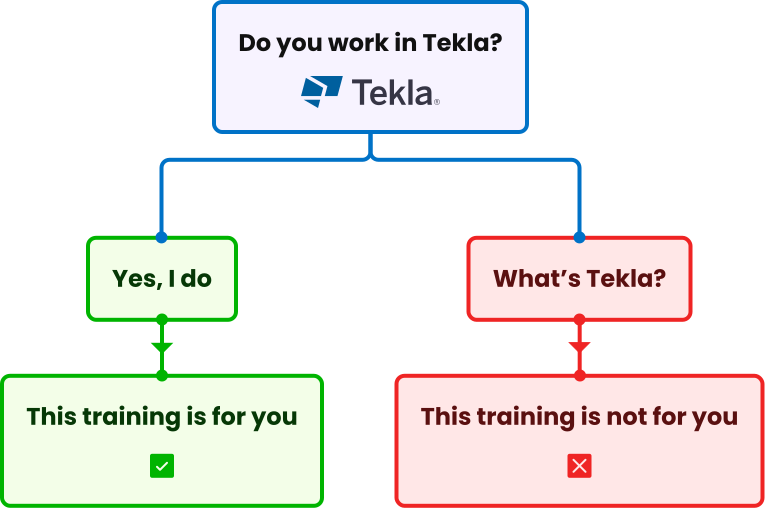
If you don’t have access to Tekla, it is not a problem. You can obtain the educational version of Tekla Structures for 365 days. The training is structured so that you can go through all the materials and complete all case studies using the educational version.

If you have any license problems, please contact me directly and for sure we can help with it: kris@learngrasshopper.com

Yep! Anyone who completes the training will get a certificate in a pdf format with their name on it, showing that they’ve completed the Grasshopper in Tekla Training. This can be useful to claim reimbursement from your employer, to share on social media, or to just feel great about your accomplishment!

Yes, exceptionally, we are offering the Grasshopper Fundamentals Training (GFT) for sale separately – Link to GFT. This allows you to catch up on the basics of Grasshopper before you start with the Grasshopper Tekla Link. I recommend purchasing bundle: GFT together with the Grasshopper Tekla Training (GTT) at a special price of 759 EUR. This provides better value and a more comprehensive learning experience – Link to Bundle offer.

No, you can not join just the Grasshopper Tekla Drawing Training. This training is a special bonus exclusively for Grasshopper in Tekla Training (GTT) users and cannot be purchased separately. It is only available as part of the comprehensive GTT package.

Yes, you can divide the payment for Grasshopper in Tekla into three parts, with each instalment due every 30 days. Payment in installments is available exclusively by card. Please use the relevant button or choose the instalment method during the checkout. After the payment of the first installment, you will get access to the training.

All clear?

Great, now we can

start learning together!

Soon you will be able to build tools that tackle your toughest problems and automate boring tasks in Tekla Structures.

Everything clear?

Hit the button
below and enroll!

Still have questions?

Contact me!

© 2026. All rights reserved. Learn Grasshopper
Designed by monsteramedia.pl

Get a dedicated offer for your company

Interested in Learn Grasshopper for your company?
Fill out this short form and I will contact you with a dedicated team offer.

By clicking “Request company offer”, you agree to receive emails with a course offer from Learn Grasshopper. Your data will not be used for any purpose other than contacting you to provide the offer. You can request change or deletion of your data at any time.

Hi, it is Kris!

Still have questions after the FAQ?

Write to me.